
External Calendar Management
Easily send your Jane appointments and shifts to Google, Outlook, Apple, or any iCal-compatible app.
Description
Keep Jane and your personal calendar working together. Jane gives each staff member a private calendar link (an iCal/ics feed) you can subscribe to in Google Calendar, Outlook, Apple Calendar, or any iCal-compatible app, so your Jane appointments and shifts show up alongside the rest of your life. You can also connect a Google Calendar the other way, bringing your personal events into Jane as private "busy" blocks so those times aren't offered for online booking.
Integration Details
Data
Calendar
Calendar


Data
Schedule
Schedule
Features & Benefits
See Jane anywhere
Subscribe to your Jane appointments and shifts in Google, Outlook, Apple, or any iCal-compatible app.
Block personal time
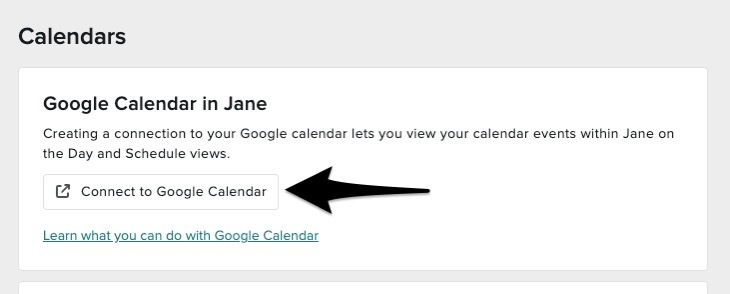
Connect a Google Calendar so your personal events appear in Jane as busy blocks and those times aren't bookable.
Fewer double-bookings
With your outside commitments visible in Jane, patients can't book over them online.
Privacy built in
Incoming Google events show as grey "Busy" only, with no titles or details, and you can exclude appointment notes from what pushes out.
Works with what you use
Any iCal-compatible calendar app is supported, on desktop or mobile.
Automatic updates
Jane continuously pushes new, changed, and cancelled appointments to your subscribed calendar.
Resources
FAQ
Not a single two-way sync. Jane offers two separate one-way syncs: pushing your Jane schedule out to your calendar, and pulling Google events into Jane as busy blocks.
Google Calendar, Outlook, Apple Calendar, and any iCal-compatible app.
No. The push from Jane is view-only, so changes made in your outside calendar aren't reflected back in Jane.
Grey "Busy" blocks only. Titles, descriptions, and guests aren't shown, and those times aren't offered for online booking.
Jane pushes updates continuously, but external calendar apps refresh subscriptions on their own schedule, often about once every 24 hours.
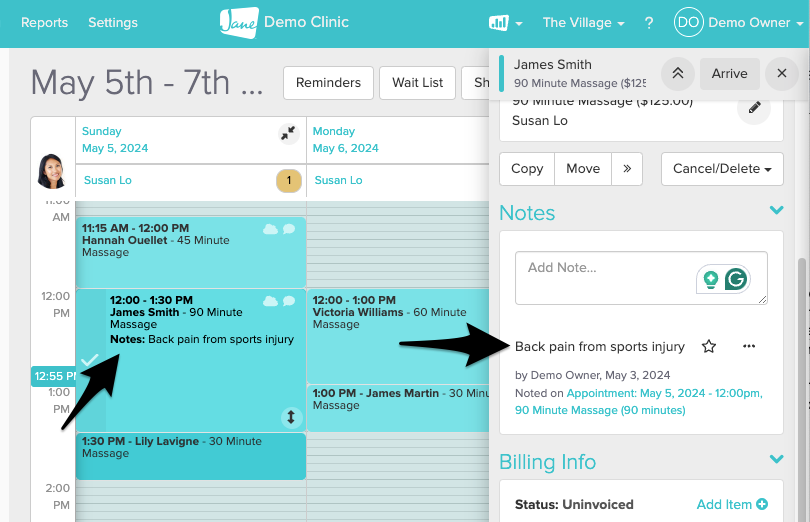
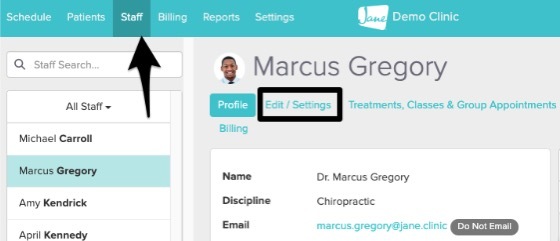
Yes. You can exclude appointment notes from what's pushed to your external calendar in your staff profile settings.